Getting Started
Reality Field is is designed as a central point for all camera data on a virtual production set. RF is designed for narrative, cinematic use, but does have a number of features that also make it suitable for broadcast and events as well.
The basic functionality of RF is to input data, break it down into generic data types, conform those data types into common units and coordinates, and then make it available to the user. That data can be mixed and matched, further conformed, and then output.
We take a guided approach to this. Many other softwares will give the user a scripting or node system and make them build their own functionality. Instead, RF is built specifically as a camera data production tool, and so it's structured in a way that allows flexibility within specific set camera parameters.
For example, trackers have a selector for Focus data. This is not editable. However, where the user decides the focus data comes from is entirely up to them. In this way, RF is a much faster and easier to use tool compared to others on the market.
Disable the SteamVR Plugin in your Unreal project before launching Reality Field, or it will crash.
Getting Started
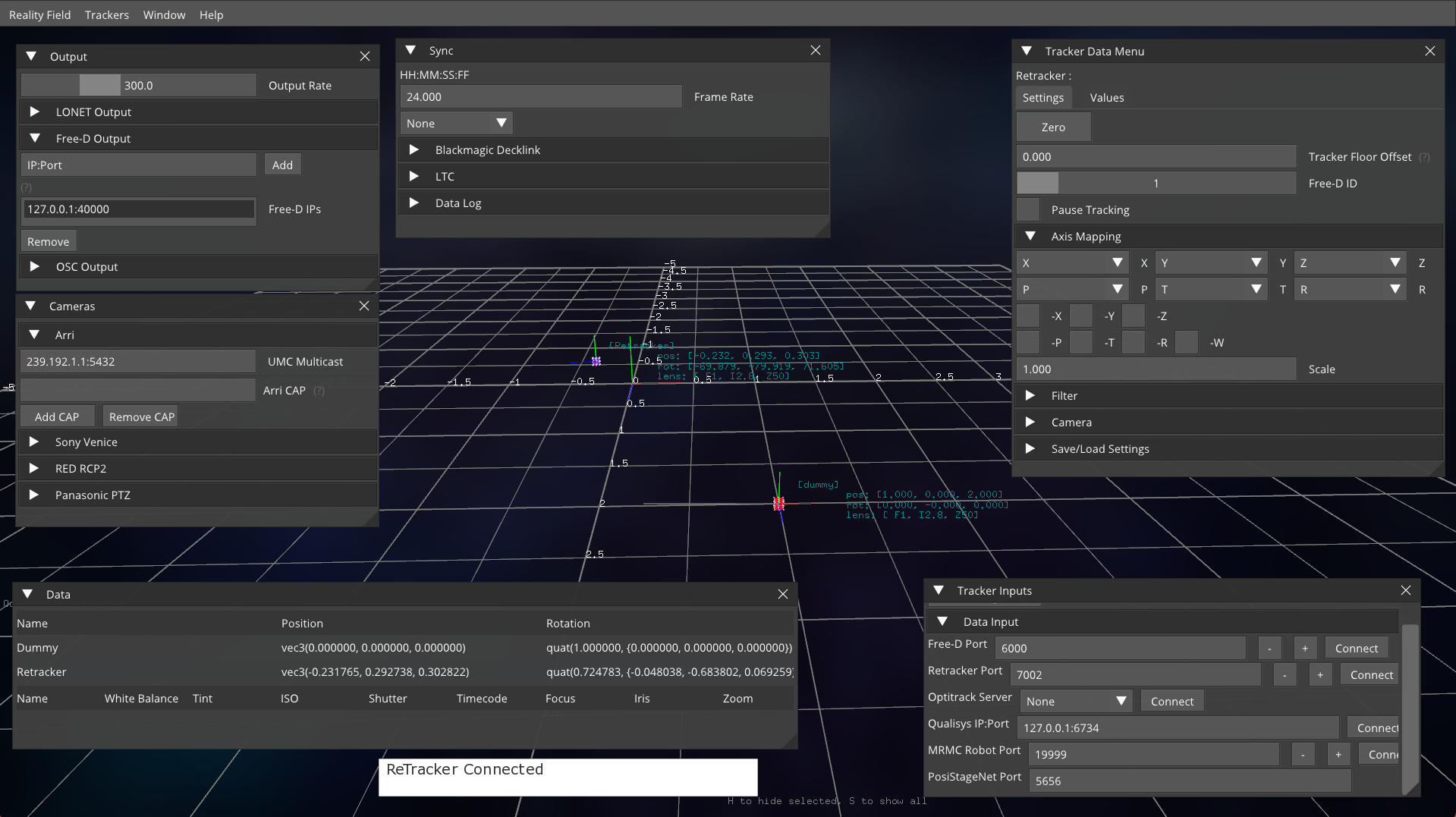
Output Panel
The output panel allows you to add nodes to send data too. Reality Field supports LiveLink, OSC, and Free-D output. The output can be frame synchronized. More Details.
Tracker Settings Panel
The Tracker Settings panel allows you to change tracker axis, filter the positional data, and attach camera/lens data. More Info.
Frame Sync Panel
The Frame Sync panel allows you to specify a data source that can be used to frame synchronize the data output. [More Info.(https://loledvirtual.com/realityfield/documentation/frame%20sync/decklink-sync)
Cameras
The Camera Data panel allows you to connect to various cameras which allows for realtime camera and lens data input. More Info.
Tracker Input
The Tracker Input panel allows you to connect to various motion tracking sources. More Info.
Data
The Data panel gives an overview of every connected tracker and camera
Stage Model
You can load a 3D model of your stage for easier orientation and reference. Export with Z forward, -Y Up. Image textures will be rendered.